Arm DevSummit 2022 Speaker Toolkit
Thank you for presenting at Arm DevSummit 2022. We are delighted to have you on board. This toolkit provides resources to help promote your participation at the event across various channels, including guidance on how to spread the word on social media.
Arm DevSummit 2022. Build Your Future on Arm.
Arm DevSummit is the online event for individuals and organizations developing and deploying solutions on Arm-based hardware.
From the sensor to the smartphone and the supercomputer. The future is built on Arm.
This action-packed online event includes live hands-on workshops and masterclasses. There will be opportunities to share ideas and connect with Arm’s global technology community. All online at no cost.
We believe that together, we’ll power every technology revolution moving forward, from IoT, cloud computing, and automotive, to gaming, mobile, and more.
We invite you to join us and change the world. Again.
When:
October 26: Keynotes and Masterclasses
November 8-9: Live workshops from Arm and industry experts
Where:
Online
Price:
Free
Find more information here:
devsummit.arm.com
Speaker Video
Introduce Your Session With a Social Video
To get your followers excited about your session, please record a 30-45 second video, and send it to us so we can add an Arm DevSummit branded outro. We will send it back to you to post on your social channels.
A few great examples from last year as a guide:
⟶Femi Idowu – Microsoft
⟶Valentin Viennot – Canonical
⟶Andreas Riexinger – Bosch
Make sure you:
⟶ Introduce yourself.
⟶ Explain the type of session you’re leading (workshop, masterclass).
⟶ Give a short overview of your session.
⟶ Share three things your audience will learn.
⟶ Ensure you do not mention anything that has not been released yet.
⟶ End with a prompt to ‘Register for free today.’
Best practices:
⟶ It is best to set up and record yourself on a Zoom or Teams call. Alternatively, you can record on your mobile phone, however we recommend using a tripod to record your video in landscape position.
⟶ Test the mic and video beforehand.
⟶ Ensure you have a good internet connection.
⟶ Turn off computer notifications (visual and sound).
⟶ Look directly at the camera, not to notes or another screen.
⟶ Have the camera at eye level.
⟶ Choose a neutral background free from distractions.
⟶ Sit in a well-lit area, use natural lighting, and avoid shadows.
⟶ Look at the camera for a couple of seconds after you’ve finished speaking for a smooth finish.
Next steps:
⟶ Upload your video to the Speaker Resource Center – see the instructions in your task list.
⟶ We will add an outro and send it back to you.
⟶ Share the video on your social media channels.
⟶ Example copy to use when sharing your video: ‘I’m looking forward to #ArmDevSummit 2022 where I’ll be talking about [topic]. Find out what I’ll be covering and register today. Build your future #onArm [LINK to talk/workshop page].
Social Media Copy
Sample copy for social channels, which you can adjust to fit your style:
I’ll be joining @Arm at #ArmDevSummit to lead a [workshop/masterclass] about [title of session]. Find out more about my talk and register for free today. [LINK to talk/workshop page]
Build Your Future #onArm.
Join me at #ArmDevSummit this year where I’m leading a [workshop/masterclass] about [topic] with @Arm. Find out more about my talk and register for free today. [LINK to talk/workshop page]
Build Your Future #onArm.
When copying and pasting the link to your talk, a general image will be showcased automatically in your post.
Hashtag
Use the event’s designated hashtag #ArmDevSummit in your social copy.
Please refrain from using any other hashtags:
#ArmDevSummit22 #ArmDevSummit2022 #ADS2022 #DSF
Tagging
Tag the official Arm social channels by including @Arm in your posts so that the Arm social team can react to your posts.
Arm Channels
Follow the Arm Channels
We’ll be sharing updates for the event on our official Arm social channels. You can re-post content from our social channels:
⟶ LinkedIn [https://www.linkedin.com/company/arm/]
⟶ Twitter [https://twitter.com/Arm]
⟶ Instagram [https://www.instagram.com/arm/]
Join the Arm Software Developers Discord Server
Join the conversation with 2,000 members on the Arm Software Developers Discord channel:
⟶ Discord [https://discord.com/invite/armsoftwaredev]
Email Signature Banner
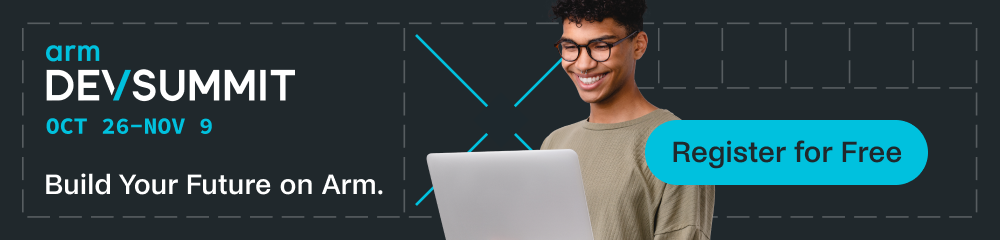
We have provided an email banner that you can add to your signature to help spread the word about Arm DevSummit 2022. You can add your logo to the psd. file if preferred, or simply use the jpg. file with no other edits needed.
Instructions to Update Your Email Signature
Outlook:
Go to File > Options > Mail. Click on ‘Signatures’. Click ‘New’ to add a new signature. Give the new signature a name, for example; ‘Arm DevSummit.’
Open the email signature banner, copy and paste it into the blank email signature.
Select the image, right click and select ‘Link’. Copy and paste the link to your talk/workshop page into the address field than click ‘OK.’
Add your contact information above the hyperlinked image. Assign the signature to the desired email account for New Messages and Replies/Forwards and hit ‘OK’ to save.
Send yourself an email to test the signature.
Gmail:
Go to Settings. Under ‘General’, scroll to ‘Signature’ and click ‘Create New.’
Click on the ‘Insert image’ button and insert the email signature banner.
Select the image and click the ‘Link’ button. Copy and paste the link to your talk/workshop page into the address field.
Add your contact information above the hyperlinked image.
Select your signature from the drop-down menu in ‘Signature Defaults’ for New Emails and Reply/Forward Use.
Click ’Save Changes’, go to your inbox and open a new message by clicking ‘Compose’ to check if your signature shows correctly.
Email Copy
We have provided an email template for you to share your participation at the event. Feel free to make this template your own, change the language and tone of the email to match your usual tone and to suit your audience.
Hello [Name],
I’m happy to announce that I’m hosting a [workshop/masterclass] at Arm DevSummit 2022.
My session – [session name] is on [date and time/available online from date]. The session covers [3 key points].
This online tech event is for all individuals and organizations developing and deploying solutions on Arm-based hardware. The event program gives you the insight and edge to do your best work.
The event is taking place online, with live activities starting on October 26.
Alongside my session, Arm DevSummit is providing an action-packed event with hands-on workshops, masterclasses, and keynotes alongside opportunities to chat to tech experts from Arm and the developer community.
You can register for the event for free today here:
https://www.arm.com/company/events/devsummit.
I look forward to catching up with you at Arm DevSummit 2022.
Best,
[Signature]
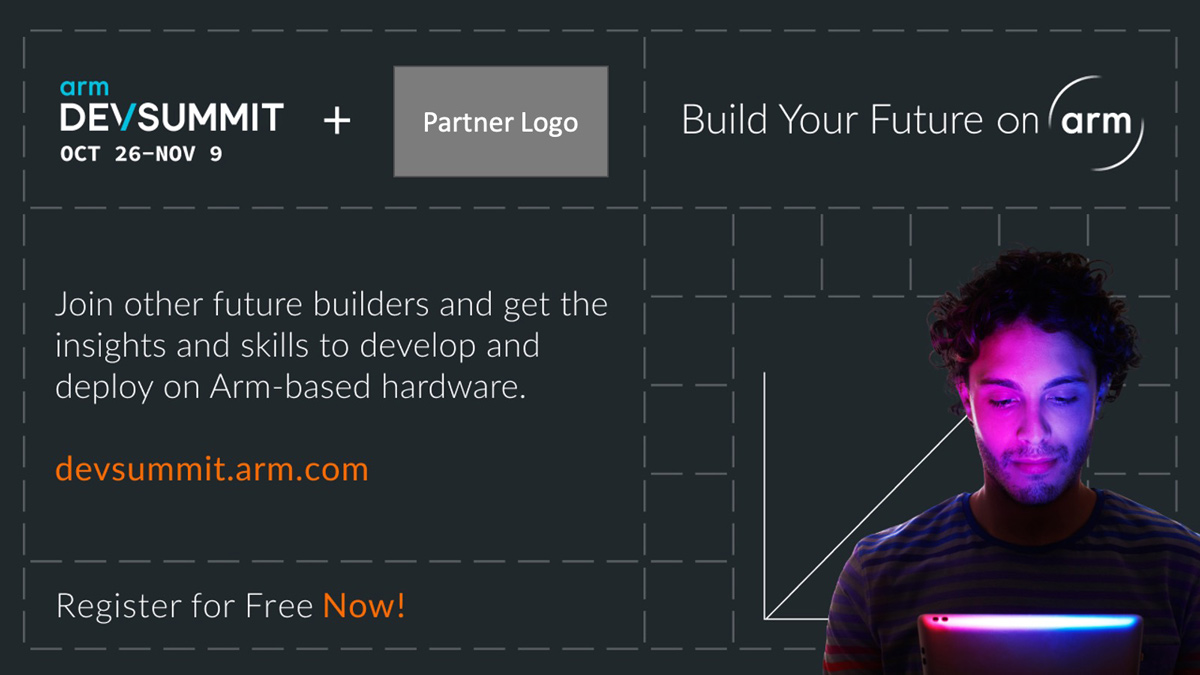
We have provided a slide and some speaker notes to share your participation in meetings and speaking opportunities ahead of Arm DevSummit. Please add your company logo to the slide and edit the speaker notes to suit your style.
If you have any question or need further help, contact us at speakers@mail-devsummit.arm.com.